Windows Terminal Shortcut
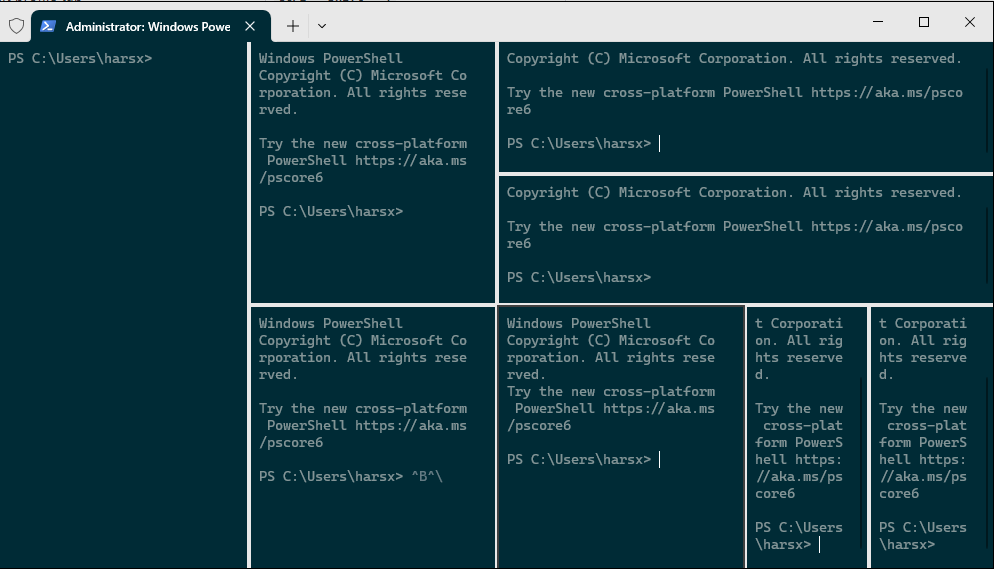
So here we go.
| Action | Shortcut |
|---|---|
| Open a new Windows Terminal instance | Ctrl + Shift + N |
| Open a new default profile tab | Ctrl + Shift + T |
| Open a new tab, profile index 1 to 9 | Ctrl + Shift + Number(1-9) |
| Switch to tab 1 to 9 | Ctrl + Alt + Number(1-9) |
| Switch to the Next tab | Ctrl + Tab |
| Switch to the Previous tab | Ctrl + Shift + Tab |
| Open the profile selection dropdown menu | Ctrl + Shift + Space |
| Open another instance of the current tab | Ctrl + Shift + D |
| Open another instance of the current pane | Alt + Shift + D |
| Close the current tab | Ctrl + Shift + W |
| Copy the selected text/command | Ctrl + C |
| Paste the selected text/command | Ctrl + V |
| Open Windows Terminal Settings UI | Ctrl + , |
| Open default settings file | Ctrl + Alt + , |
| Open settings file | Ctrl + Shift + , |
| Find | Ctrl + Shift + F |
| Create/Split a Vertical pane | Alt + Shift + + |
| Create/Split a Horizontal pane | Alt + Shift + - |
| Resize the current pane up | Alt + Shift + ↑ |
| Resize the current pane down | Alt + Shift + ↓ |
| Resize the current pane left | Alt + Shift + ← |
| Resize the current pane right | Alt + Shift + → |
| Open command palette | Ctrl + Shift + P |
| Increase the font size | Ctrl + = |
| Decrease the font size | Ctrl + - |
| Reset the font size to the default | Ctrl + 0 |
| Scroll up in the Windows Terminal | Ctrl + Shift + ↑ |
| Scroll down in the Windows Terminal | Ctrl + Shift + ↓ |
| Scroll up one page | Ctrl + Shift + PgUp |
| Scroll down one page | Ctrl + Shift + PgDn |
| Scroll to the top of history | Ctrl + Shift + Home |
| Scroll to the bottom of history | Ctrl + Shift + End |
| Move focus to one pane up | Alt + ↑ |
| Move focus to one pane down | Alt + ↓ |
| Move focus to one pane left | Alt + ← |
| Move focus to one pane right | Alt + → |
| Move focus to the last used pane | Ctrl + Alt + ← |
| Toggle on/off High Visibility screen mode | Left Alt + Left Shift + PrtScn |
| Summon Quake mode | Win + ` |
| Toggle on/off fullscreen mode | F11 |
| Close the Windows Terminal (entire program) | Alt + F4 |
Member discussion